
The picture
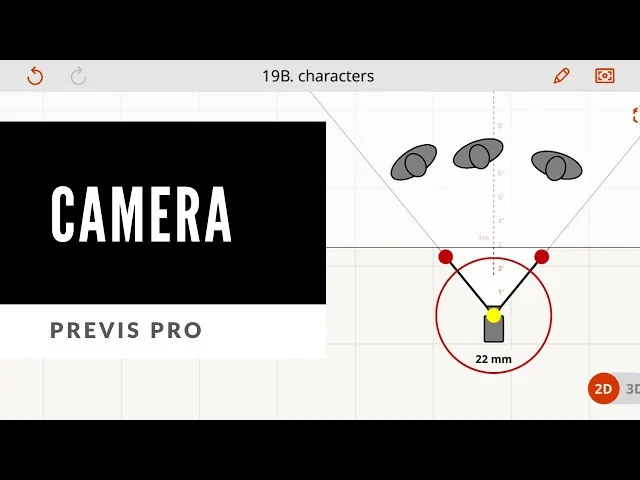
Previs Pro, a storyboarding and previsualization app for Mac, iPad and iPhone, published an update-log post on 24 October 2024 titled 'Previs Pro: Not an AI Gimmick' that draws a line between what its AI features touch and what they do not. The post states: 'Our AI is like a really efficient intern: it's there when you need it, but it's not running the show.' It names two features - Style Grading, working 'while keeping all your critical camera and blocking choices intact', and Prop Gen, generating objects from text such as 'Red Eames chair'. Separately, the app's own camera documentation, as retrieved 16 September 2026, describes a virtual camera whose focal-length control 'will snap to Prime Lens sizes', plus a 'Monitor Mode' live view.
What the documents show
The post is the primary record of its stated AI boundary: camera, blocking and lens choice remain manual, while two named features - one cosmetic, one generative - are what AI touches. The camera documentation corroborates this, describing a scheme built around named prime-lens values rather than an unlabelled slider. A separate page on the vendor's homepage describes a 'Virtual Camera with AR' placing characters into a real-world feed - distinct from Monitor Mode, not described as lens-matched to physical optics. None of the three documents states the AR placement carries measured accuracy; it is a compositing convenience, not a survey method.
What it is allowed to decide
Previs Pro's manual camera and blocking tools can support a class 2 creative-approval decision - framing and lens choice on named prime-lens values - and the disclosure post is itself an exercise of Provenance authority, telling a reader which pixels came from a person's choice and which from a generative feature. It does not hold Dimensional authority: no page states scene geometry or the AR placement is built to measured scale.
The disclosure label
A disclosure label for a Previs Pro frame, dated 16 September 2026, would read: this is a previs frame built with Previs Pro's manual camera and blocking tools, decision class 2 (creative approval), holding a stated Provenance authority - the vendor names which features are AI-assisted - but not a demonstrated Dimensional authority, since no page states the scene or AR placement is built to measured scale. A previs supervisor, or the vendor in its own update-log voice, is the plausible party asserting this label.
- Which parts of this frame came from the manual camera tools, and which from Prop Gen or Style Grading?
- Does the AR placement mode carry any stated positional accuracy, or is it a reference only?
- Has the stated AI boundary been checked against the current app version, given that update posts accumulate?
The interesting fact here is not that an app uses AI; every current previs tool has some AI feature. It is that this vendor published which specific features cross that line and which do not - a disclosure a reader can check against the product, and the habit the site's own framework asks every previs artifact to carry.
Sources & reading trail
Vendor's own statement distinguishing optional AI features (Style Grading, Prop Gen) from manual camera and blocking control.
Source published: 24 October 2024 · Retrieved: 16 September 2026
Documents the virtual camera's prime-lens focal-length snapping and Monitor Mode live view, as retrieved 16 September 2026.
Source published: Not established · Retrieved: 16 September 2026
Describes the app's AR 'Virtual Camera' mode for placing characters and props into real-world locations via the device camera.
Source published: Not established · Retrieved: 16 September 2026
Documentation, handbooks, rulings and records establish the entry; the authority reading and the disclosure label are Previs Office editorial analysis. This retrospective draft does not imply the site published on the event date.